6 Creator Tasks for Your AI Assistant: The LEA Companion Guide
A research brief. Five content drafts. A sorted sample inbox. A proposal. A working calculator. A landing page.
Those are the six outputs in this LEA walkthrough. LEA is my dot, a personal AI assistant powered by OpenAI. The presenter is the digital avatar of Jay the AI Creative.
Everything connects to Northstar Creator Studio, a fictional business with a $650 content sprint: one edited video up to eight minutes, three clips, and a newsletter draft. The video presents prepared examples through animated panels. The same offer runs through each task, so you can check whether the details survive the handoffs.
Watch the walkthrough
Here’s how to adapt the workflow to your own work.
1. Research a question you actually need answered
Start with a decision. Northstar needs a sensible way to turn long-form material into Shorts and a newsletter. That gives the research a purpose and makes irrelevant advice easier to spot.
Starter prompt
Research a workflow for turning my long-form video into Shorts and a newsletter. Use official platform documentation. Link each recommendation to its source, separate confirmed facts from assumptions, and flag conflicting guidance.
Your check: open the links. Does each source support the specific claim? Guidance about an upload format might differ from guidance about a platform’s built-in editing tool. Keep that distinction in the brief.
2. Turn one source into several useful drafts
The content demo starts with a synthetic transcript and produces three Shorts scripts, a newsletter draft, and a social post. Each Short takes a different angle while staying tied to the source.
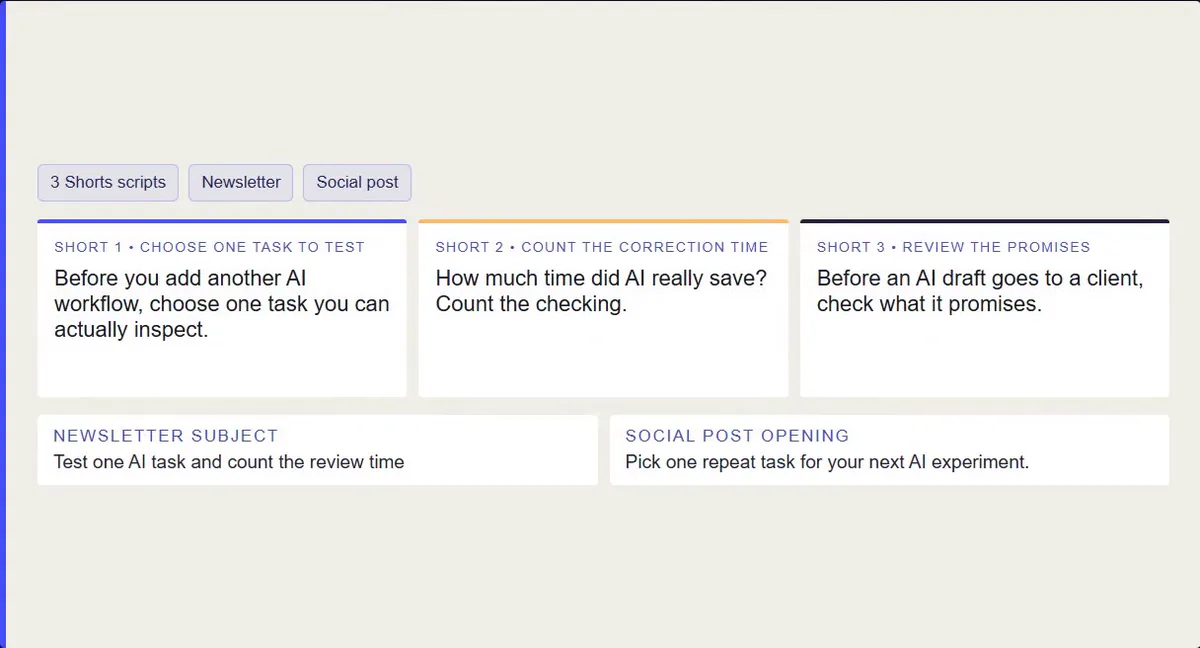
Demo example: one synthetic transcript becomes three short scripts, a newsletter, and a social post.
Starter prompt
Using only this transcript, draft three Shorts scripts with distinct angles, one newsletter, and one social post. Preserve qualifications and examples. Show which source passages support each asset. Flag anything that needs clarification.
Your check: trace the strongest claims back to the transcript. Keep hypothetical examples labeled. Read the drafts aloud, then edit them for your audience. A Shorts script still needs production before it becomes a finished Short.
3. Sort inquiries against written service rules
Northstar's sample inbox contains six fictional inquiries. The result is two fits, two needing more information, and two outside the offer. Clear rules make those labels useful: a $650 minimum, at least ten business days after complete materials and kickoff, and one consolidated revision round.
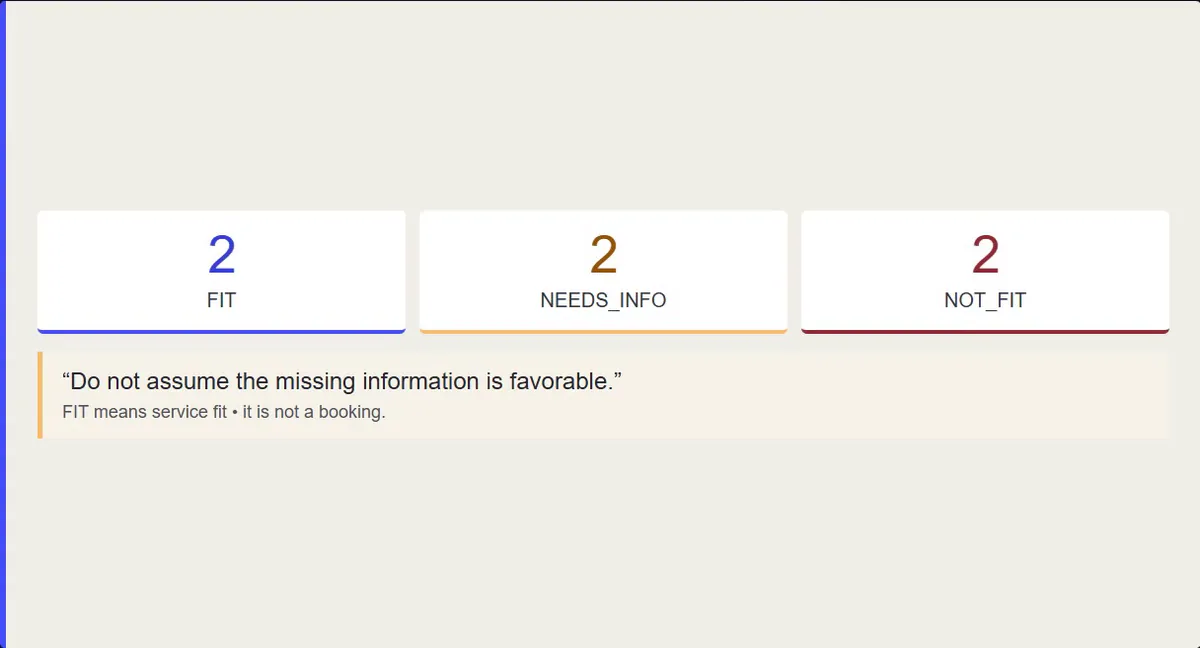
Demo example: six fictional inquiries are sorted against the sample service rules.
Starter prompt
Compare these inquiries with my service rules. Label each fit, needs information, or not a fit. Quote the evidence, identify missing details, and draft a short reply. Don’t invent answers or send anything.
Your check: look especially closely at missing information. An undecided budget needs a question. A fixed budget below your minimum is a conflict. A larger budget can still come with work you don’t offer.
4. Carry the same boundaries into the proposal
The proposal uses a qualifying sample inquiry and keeps the $650 package intact. It spells out deliverables, timing, one revision round, and a proposed payment split of $325 upfront and $325 after final approval, before file handover.
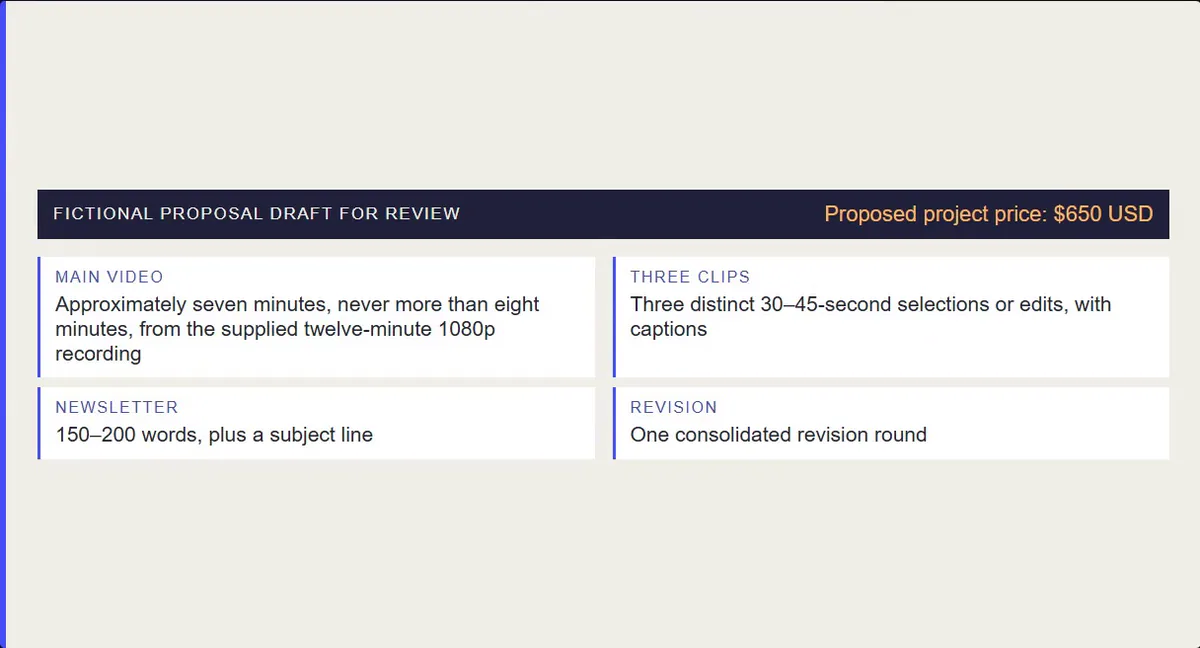
Demo example: the proposed scope and payment terms stay visible for review.
Starter prompt
Draft a proposal from this inquiry and my service rules. Preserve the scope, price, turnaround conditions, and revision limit. Label proposed terms and unresolved assumptions. Include an acceptance checklist. Leave it as a draft for review.
Your check: compare it with the original inquiry. Watch for an extra deliverable, an unconditional date, or a promise the client never requested. Review proposed commercial terms before sharing them.
5. Make capacity part of the price conversation
The calculator uses $650 per client, $40 in direct costs per client, $120 in monthly overhead, and 60 available fulfillment hours. Each client takes eight delivery hours plus two review hours.
That fits six clients. The modeled cash surplus is 6 × ($650 − $40) − $120 = $3,540 before personal tax. Owner labor has not been deducted as a salary expense. Selling and admin also need time outside those fulfillment hours.
At a hypothetical $900 price, the same six clients produce $5,040 under those assumptions. That gives you a scenario to investigate; demand and delivery still need testing.
Starter prompt
Build a capacity and pricing calculator with these inputs. Show formulas, clients I can serve, hours required, and cash surplus after specified costs. Label assumptions and warn when a target exceeds capacity.
Your check: verify the arithmetic, then challenge the inputs. Include review time. Use a realistic working month.
6. Build a page that agrees with the offer
The Northstar landing page carries forward the original $650 offer. It includes the deliverables, process, FAQ, and a local sample-brief preview.
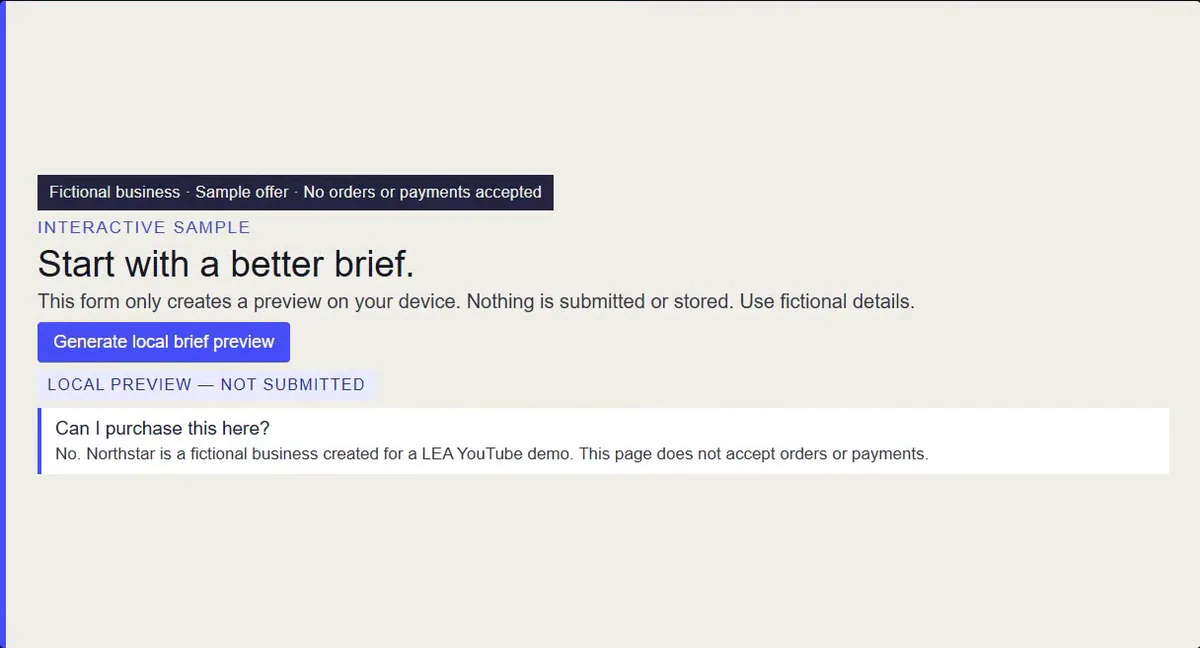
Demo example: the brief form only creates a local preview.
Starter prompt
Build a responsive landing page from this approved offer. Preserve the price, scope, turnaround, and revision limit. Make the FAQ work. Don’t invent testimonials, customer logos, or results. Clearly label demonstration features.
Your check: inspect the mobile layout, read every promise, and test every control. Northstar’s brief preview stays in the browser. A real launch needs an approved contact or booking flow and an end-to-end test.
Before you use the output
Open every source and confirm that it supports the specific claim.
Trace content claims to the source and keep hypothetical examples labeled.
Check inquiry labels against your service rules and ask about missing details.
Review the proposal scope, timing, revisions, and proposed payment terms.
Verify calculator formulas and challenge the cost and capacity assumptions.
Test the page on mobile, read every promise, and try every control.
Choose one task to try
Pick a repeat task with an output you can review. Give LEA the source material, your boundaries, and a clear definition of done. Count setup and correction time when deciding whether it helps.
Which of these six would you hand over first?
Find more practical creator workflows at AI Creators Roundtable.