Build a Landing Page That Isn't AI Slop: The Wellness Fair Build, Step by Step
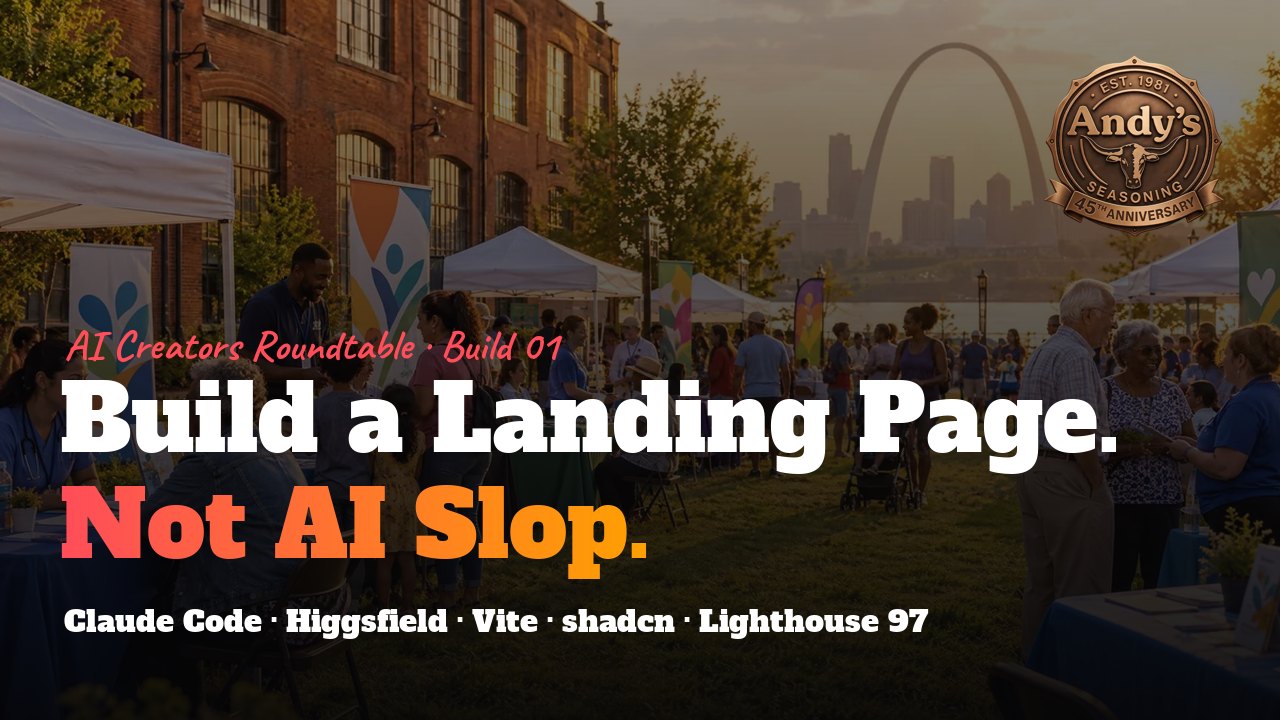
🧰 This is the build log that goes with How to Stop Shipping AI Slop and the free Anti-AI-Slop Toolkit. That guide is the theory. This one is a real site, built on September 14, 2026, for the Andy's Seasoning Community Wellness Fair in St. Louis.
The brief was simple: a promo landing page for a free community wellness fair on October 9. Date, time, address, nineteen partner organizations, food trucks, a DJ, and the company's 45th anniversary. The kind of page that AI tools produce in thirty seconds and that looks like every other page AI tools produce in thirty seconds.
This is how it got built without that happening. Swap in your own event and brand as you go.
Time to complete: one focused day for the core page, a second half-day for polish and deploy.
0. The principles (read before touching a keyboard)
Generated sites feel generic for predictable reasons: no real source material, vague copy, stock-looking imagery with mismatched lighting, Inter everywhere, cards on everything, motion for its own sake. Everything below is aimed at the opposite.
- Start from a real artifact. We began with the printed flyer and the company's actual logo files. The flyer decided the palette, the photo strip, the taglines, and the partner list. If you have no flyer, make one first, even on paper.
- One subject, one job. The page exists to get St. Louis residents to 2829 Chouteau Ave on October 9. Every section either answers "why come" or "how do I get there." Anything else got cut.
- Specific words. Real date, real address, real partner names, the client's own taglines ("Stronger. Healthier. Brighter. Together."). No "Join us for an unforgettable experience."
- Art-direct generated images as a set. One lighting condition, one color grade, real place cues, "no readable text." Reject anything that doesn't match the set.
- Real partners, real logos, sourced honestly. Blurbs from their own websites. A rights note on the page.
- Type with a point of view. A slab display face, a handwritten accent, a quiet body face. Not the same three sans-serifs every template ships with.
- Motion only where it explains something. One entrance sequence on the hero, hover reveals on cards, a bar that appears when you've scrolled past the hero. No ambient particles.
- Measure, then fix what's actually broken. Seven viewport widths, three Lighthouse rounds, fix the real findings, stop.
- Carry details only this event would have. The 45th anniversary seal, "hosted on Andy's grounds," the Gateway Arch in the hero, People's Health Centers on the partner wall.
Slop is what happens when the model fills a gap you left. Leave fewer gaps.
1. Tools and accounts you'll need
| Category | What we used | Notes |
|---|---|---|
| Editor + agent | Claude Code (desktop app) with the built-in browser pane | Scaffolding, edits, responsive screenshots, Lighthouse runs. The pane made breakpoint testing fast. |
| Runtime | Node.js 25, npm 11 | Node 20+ is fine. |
| Framework | Vite 8, React 19, TypeScript 6 | npm create vite@latest -- --template react-ts |
| Styling | Tailwind CSS v4 via @tailwindcss/vite |
No tailwind.config file; tokens live in CSS. |
| Components | shadcn CLI (init -d, add dialog) |
Gives you src/components/ui, cn(), and a Dialog built on Base UI. |
| Motion | framer-motion 13 | Entrance animations, hover springs, AnimatePresence for the floating nav. |
| Icons | lucide-react | Brand icons (Facebook, etc.) were removed from lucide; draw those as inline SVG. |
| Starting component | A "Prisma" full-bleed video hero from a shadcn-style community registry | We kept its structure and rewrote every word and color. |
| Fonts | Alfa Slab One, Caveat (Google Fonts, self-hosted as woff2), Geist via Fontsource | Self-hosting removed a render-blocking request. |
| Generated media | Higgsfield: Seedance 2.5 (text-to-video, 10 s, 1080p), GPT Image 2.5 (stills) | Video cost 90 credits; nine stills at high quality. |
| Video tooling | ffmpeg | Re-encode HEVC to H.264, make a 720p version, pull a poster frame. |
| Image tooling | Python 3 with Pillow; requests + BeautifulSoup for logo scraping | Resizing, WebP conversion, OG image composition. |
| Maps / calendar | Google Maps embed URL, Google Calendar "render" URL, hand-built .ics |
No API keys needed. |
| Social | Facebook Event (created from the brand page), Facebook page | Event link goes in hero, share section, footer, and schema. |
| SEO | schema.org Event JSON-LD, Open Graph, robots.txt, sitemap.xml, web manifest |
All static files in public/. |
| Auditing | Lighthouse CLI (npx lighthouse) against vite preview |
Run on the production build, not the dev server. |
| Hosting | git, GitHub CLI (gh), GitHub Actions, GitHub Pages |
Pages needs a public repo on the free plan. |
| Existing assets | Printed flyer (PNG), logo folder (SVG + PNG), 45th anniversary seal (8K PNG), QR code | Ask the client for these on day one. |
2. Plan on one page before scaffolding
Write a PLAN.md with: goal and primary action, audience, palette pulled from your real artifact (hex values), type choices, a section-by-section outline, technical approach, assets needed, and open questions for the client.
Ours had one primary action (Add to Calendar), two secondary (Directions, Share), and this palette taken from the flyer:
| Token | Hex | Use |
|---|---|---|
| red-deep | #8B1A1A |
Bands, primary buttons |
| red-brand | #B22222 |
Headline accents |
| gold | #F2A81D |
Highlights, badges, the "Fair" in the headline |
| orange-brand | #E8621A |
Secondary accent |
| green-deep | #1F5C3A |
Community accent |
| paper | #FBF6EC |
Light section background |
| cream | #E1E0CC |
Text on dark |
| ink | #1A0F0F |
Dark background, body text |
The open-questions list is the most useful part. Ours included: registration or walk-in, parking, rain plan, exact screenings per partner, the unreadable partner logo on the flyer. Half of them got answered in later conversations and changed the page.
3. Scaffold
npm create vite@latest wellness-fair-site -- --template react-ts
cd wellness-fair-site
npm install
npm install tailwindcss @tailwindcss/vite framer-motion lucide-react
Add the @/ alias in tsconfig.json and tsconfig.app.json ("paths": { "@/*": ["./src/*"] }; TypeScript 6 rejects baseUrl, so leave it out) and in vite.config.ts:
import path from "node:path";
import react from "@vitejs/plugin-react";
import tailwindcss from "@tailwindcss/vite";
import { defineConfig } from "vite";

export default defineConfig({
  base: process.env.VITE_BASE_PATH || "/",
  plugins: [react(), tailwindcss()],
  resolve: { alias: { "@": path.resolve(import.meta.dirname, "./src") } },
});
Replace src/index.css with @import "tailwindcss";, then:
npx shadcn@latest init -d -y
npx shadcn@latest add dialog -y
You now have src/components/ui, src/lib/utils.ts, and a theme block in index.css.
4. Brand tokens and fonts
In index.css, inside the @theme inline block shadcn created, add your palette and faces:
--font-display: 'Alfa Slab One', Rockwell, Georgia, serif;
--font-hand: 'Caveat', 'Segoe Print', cursive;
--color-cream: #E1E0CC;
--color-gold: #F2A81D;
--color-red-brand: #B22222;
--color-red-deep: #8B1A1A;
--color-green-deep: #1F5C3A;
--color-ink: #1A0F0F;
--color-paper: #FBF6EC;
Set shadcn's --primary to your brand red so its buttons match. Self-host the display fonts: fetch the Google Fonts CSS with a browser User-Agent, download the latin woff2 files into public/fonts/, write @font-face rules with font-display: swap, and preload the two you use above the fold. Drop any weight you don't use.
Add two utilities you'll reuse: a .noise-overlay (inline SVG feTurbulence as a background) and a .seal-glow drop shadow for the anniversary mark.
5. One source of truth for the event
Create src/lib/event.ts. Every date, time, address, phone, and link on the page reads from it.
export const EVENT = {
  title: "Andy's Seasoning Community Wellness Fair 2026",
  location: "2829 Chouteau Ave, St. Louis, MO 63103",
  start: new Date("2026-10-09T10:00:00-05:00"),
  end: new Date("2026-10-09T14:00:00-05:00"),
  url: "https://www.andysseasoning.com",
  phone: "(314) 664-3004",
  facebookEvent: "https://www.facebook.com/share/1MimcoyT5Y/",
  facebookPage: "https://www.facebook.com/andys.seasoning",
} as const;
In the same file: addToGoogleCalendarUrl() (a calendar.google.com/calendar/render?action=TEMPLATE&dates=... link), directionsUrl() (google.com/maps/dir/?api=1&destination=), buildIcs() (a plain VCALENDAR string), and downloadIcs() (Blob + temporary anchor). No backend, no keys.
A Countdown component reads EVENT.start, ticks every second, and switches to "Happening right now" and "Thank you, St. Louis" states.
6. The hero
We started from a community "Prisma" hero: full-bleed video in a rounded frame, noise and gradient overlays, a black nav pill at top center, a giant word-by-word headline bottom-left, copy and a pill button bottom-right. Then we made it ours:
- Headline "Wellness Fair" in Alfa Slab One, cream and gold.
- Handwritten Caveat eyebrow: "Andy's Seasoning Annual Community Outreach · Celebrating 45 years."
- The 45th seal as the featured brand mark (absolute on small screens, in-flow at the top of the right column on large ones so it never collides with the text).
- Event chips: date, time, "Free admission · Open to the public," address.
- Add to Calendar pill, Google Calendar and RSVP on Facebook text links, countdown.
- A faded Gateway Arch SVG behind everything until the video loads.
Performance choices that mattered later: an explicit <img fetchpriority="high"> for the poster, the <video> set to preload="none" and started from a load event listener, a 720p <source> for phones, and a static copy of the hero markup inside <div id="root"> in index.html so the first paint doesn't wait on React.
7. Generate media as a set
Write prompts that share one world. Ours all included: golden hour, warm amber and deep red grade, shallow depth of field, St. Louis cues (red brick, the Arch faint in haze), "no readable text, no logos." Then generate everything in one batch so you can judge them side by side.
Hero video (Seedance 2.5, 10 s, 16:9, 1080p, no audio):
Slow cinematic push-in, golden hour. A diverse group of St. Louis neighbors of all ages walking and gently stretching together on a sunlit green lawn beside a red brick building, warm smiles, families and seniors, soft lens flare, the Gateway Arch faintly visible in the hazy background. Warm amber and deep red color grade, shallow depth of field, slow steady camera, seamless loop feel, no text, no logos.
Stills (GPT Image 2.5, 4:5 for cards, 16:9 for wide): four pillar photos matching the flyer's strip (walking pair, group stretch, overhead produce, nurse in scrubs), a wide fair-on-the-grounds scene, a painterly red-and-gold brush texture, and later food trucks, a DJ under a tent, and a sampling booth with unlabeled shaker bottles. One of them, so you can see the pattern:
Editorial food photograph at an outdoor sampling booth, golden hour: a wooden table with small paper cups of golden seasoned fried chicken and seasoned fries, several red-capped seasoning shaker bottles with plain unlabeled amber labels, a smiling volunteer in a red apron handing a sample to a guest, warm amber and deep red color grade, shallow depth of field. No readable text or logos.
Post-process locally:
# Higgsfield returned HEVC; browsers want H.264
ffmpeg -i hero_raw.mp4 -vf scale=1920:-2 -c:v libx264 -preset slow -crf 26 -pix_fmt yuv420p -movflags +faststart -an public/video/hero.mp4
ffmpeg -i hero_raw.mp4 -vf scale=1280:-2 -c:v libx264 -preset slow -crf 27 -pix_fmt yuv420p -movflags +faststart -an public/video/hero-720.mp4
ffmpeg -ss 0.2 -i hero_raw.mp4 -frames:v 1 -vf scale=1200:-2 poster.png
With Pillow, save each photo at 480, 800, and 1200 px wide as WebP (quality 70 to 80), and write a small ResponsiveImg component that emits srcset, sizes, width, height, loading="lazy", and decoding="async".
Compose the Open Graph image (1200×630) locally too: the wide fair photo, a dark warm gradient, the logo, the seal, and the headline in the display font.
8. Build the sections
Each section is its own component under src/components/site/, lazy-loaded with React.lazy so the first bundle stays small. A shared Reveal wrapper fades content up once on scroll; a SectionHeading sets eyebrow, title, and subtitle with aria-labelledby ids.
- Four Pillars. Tilted photo cards with ribbon labels copied from the flyer. Desktop: a four-across grid with hover lift and a blurb that reveals on hover. Phones: a one-card snap slider with dots and arrows, blurb always visible (use
@media (hover:hover)to gate the hover reveal so touch users aren't left with hidden text). - What You'll Find. Dark section, four service cards, tag chips for the specifics.
- Food & Fun. Added when the client mentioned food trucks, a DJ, and a sampling stand. The sampling card is the wide featured one with the seal in its corner.
- Partners. Logo tiles grouped by category; each opens a Dialog with logo, category badge, blurb, "At the fair" line, and website button. Data lives in
src/data/partners.ts. - Plan Your Visit. Google Maps iframe (
maps?q=<address>&output=embed), Get Directions and Call buttons, cards for what to bring, parking, accessibility, rain plan. - About. Forty-five years on Chouteau Avenue, photo, seal, link to the main site.
- Share. Native Web Share when available, SMS link, RSVP on Facebook, share to timeline, copy link, flyer download, QR download.
- Footer. Leaf corners drawn in SVG, logo, address, phone, RSVP button, Facebook page icon.
- Floating nav. Appears via IntersectionObserver once the hero is mostly gone; highlights the current section; collapses to a menu button below 1024 px.
- Sticky CTA. Bottom bar on phones with Add to Calendar and Directions, shown only after the hero leaves the viewport.
Set html { scroll-behavior: smooth } with a prefers-reduced-motion override, and scroll-margin-top on sections so anchors land below the floating bar.
9. Source partner logos honestly
Clearbit's logo API is gone and Wikimedia blocked scripted downloads, so this is the sequence that worked:
- For each partner, fetch their homepage with a browser User-Agent and pull candidates:
<img>elements whose src/alt/class contains "logo,"<link rel="icon">files, andog:image. - Download the candidates and lay them out on one contact sheet so you can pick by eye.
- For anyone with no usable web presence, crop their logo from the printed flyer and upscale 3x. Nine of our nineteen came from the flyer.
- Trim borders, cap width at 480 px, save as WebP, record width and height for the
<img>attributes. - Write blurbs from each partner's own meta description or about page. Mark guesses as guesses ("At the fair" lines are ours to confirm).
- Put a one-line rights note under the grid.
A wall of real logos with real one-paragraph descriptions is the single strongest signal on the page that a human stood behind it. Placeholder tiles that say "Partner Logo" are the single strongest signal that nobody did.
10. Responsive pass
Test at 375, 640, 768, 1024, 1280, 1440, and 1920 px. For each width, load the page and run a check in the console that finds any element whose right edge exceeds the viewport (ignoring fixed elements and intentional horizontal scrollers). Then look at the hero specifically, since that's where absolute positioning bites.
Ours found: the centered nav pill covering the logo and the free-admission badge at 768 and 1024, and the seal colliding with the event details column at 1024 and 1280. Fixes: drop the logo below the nav on tablet, show the badge only at 1280 and up and repeat "Free admission" as an event chip instead, and move the seal into the right column's flow on large screens.
11. SEO and performance, three rounds
Build for production and serve it, then audit on mobile and desktop:
npm run build
npx vite preview --port 4173
npx lighthouse http://localhost:4173/ --form-factor=mobile --screenEmulation.mobile --only-categories=performance,accessibility,best-practices,seo --output=json --output-path=lh-mobile.json
What each round fixed for us:
| Round | Mobile perf | Desktop perf | SEO / A11y / Best practices | What it fixed |
|---|---|---|---|---|
| 1 | 63 | not run | 100 / 100 / 100 | Self-host fonts, image dimensions, responsive srcset, lazy-loaded sections |
| 2 | 67 | 96 | 100 / 100 / 100 | Static hero shell, flyer and QR resized, video deferred to load |
| 3 | 71 | 97 | 100 / 100 / 100 | 400 px seal, 800 px texture, one busy photo recompressed, unused font weight dropped |
SEO, accessibility, and best practices were 100 on both from round 1 because the structure was right from the start: one <h1>, <h2> per section, <h3> for cards, alt text on every image, aria-label on icon buttons, rel="noreferrer" on external links, lang on <html>.
SEO files to add: canonical and absolute Open Graph URLs (driven by a VITE_SITE_URL env var and %VITE_SITE_URL% placeholders in index.html), Event JSON-LD with startDate, endDate, location with geo, organizer, isAccessibleForFree, and offers at price 0; robots.txt; sitemap.xml; site.webmanifest; a <noscript> block with the essentials.
Mobile performance around 70 is the React tax: on Lighthouse's simulated slow 4G, a client-rendered SPA pays for its bundle. Getting past it means pre-rendering to static HTML. Real phones on real networks load it fine.
12. Deploy to GitHub Pages
Make asset paths base-aware first. Project sites live at /<repo>/, so a hard-coded /img/x.webp breaks. Add a helper and route every public asset through it:
export function asset(path: string): string {
  const base = import.meta.env.BASE_URL.endsWith("/") ? import.meta.env.BASE_URL : `${import.meta.env.BASE_URL}/`;
  return base + path.replace(/^\/+/, "");
}
Workflow at .github/workflows/deploy.yml:
name: Deploy to GitHub Pages
on:
  push: { branches: [main] }
  workflow_dispatch:
permissions: { contents: read, pages: write, id-token: write }
concurrency: { group: pages, cancel-in-progress: true }
jobs:
  build:
    runs-on: ubuntu-latest
    steps:
      - uses: actions/checkout@v4
      - uses: actions/setup-node@v4
        with: { node-version: 22, cache: npm }
      - run: npm ci
      - run: npm run build
        env:
          VITE_BASE_PATH: /${{ github.event.repository.name }}/
          VITE_SITE_URL: https://${{ github.repository_owner }}.github.io/${{ github.event.repository.name }}
      - uses: actions/upload-pages-artifact@v3
        with: { path: dist }
  deploy:
    needs: build
    runs-on: ubuntu-latest
    environment: { name: github-pages, url: ${{ steps.deployment.outputs.page_url }} }
    steps:
      - id: deployment
        uses: actions/deploy-pages@v4
Then:
git init -b main
git add -A && git commit -m "Wellness Fair 2026 landing page"
gh repo create wellness-fair-site --public --source=. --remote=origin --push
gh api -X POST repos/<owner>/wellness-fair-site/pages -f build_type=workflow
gh run watch
GitHub Pages from a private repo requires a paid plan. If the repo must be private on a free account, connect it to Netlify, Vercel, or Cloudflare Pages instead and set VITE_BASE_PATH=/.
13. Launch checklist
-
VITE_SITE_URLset to the final domain;robots.txtandsitemap.xmlupdated to match - Facebook Event cover replaced with the OG image; event description mentions food, DJ, samples
- Parking, accessibility, rain plan copy confirmed with the venue
- "At the fair" lines confirmed with each partner
- QR code scanned once to confirm its destination
- Share the URL in a text message and check the preview card
- Add to Calendar tested on an iPhone and an Android phone
14. Pitfalls we hit, so you don't
- Windows codepage writes broke the build. A script wrote a
.tsxfile as cp1252; Vite reported "stream did not contain valid UTF-8." Always read and write source as UTF-8. - Long shell heredocs failed silently in Git Bash. Past roughly 120 lines the shell lost the terminator. Write scripts to a file and run them.
- Git Bash rewrites
/repo/into a Windows path when passed as an env value. ExportMSYS_NO_PATHCONV=1first. - TypeScript 6 rejects
baseUrl. Usepathsalone. - lucide-react removed brand icons. Inline the Facebook glyph as SVG.
- Clearbit's logo API is dead and Wikimedia blocks scripts. Scrape partner homepages or crop from print.
- Higgsfield videos come back as HEVC. Re-encode to H.264 or Chrome won't play them.
- A hover-only reveal leaves touch users with hidden text. Gate it behind
@media (hover:hover). - Autoplay video fights the poster for bandwidth.
preload="none"and start it onload. - The dev server's console keeps old errors. Reload before judging whether something is actually broken. Two "bugs" in this build were ghosts.
Resource links
- Vite · React · TypeScript
- Tailwind CSS v4 · shadcn · Base UI
- framer-motion · lucide
- Alfa Slab One · Caveat · Fontsource
- Higgsfield · ffmpeg · Pillow
- schema.org Event · Open Graph · Google Rich Results Test
- Lighthouse
- GitHub CLI · GitHub Pages · deploy-pages action
- Facebook Events for Pages
One honest note: this was written from the session that built the site, not from a recorded transcript, so treat the time estimate as an estimate. Everything else is what actually happened.