My First Grok Bot Fleet — One Bot Hired the Rest
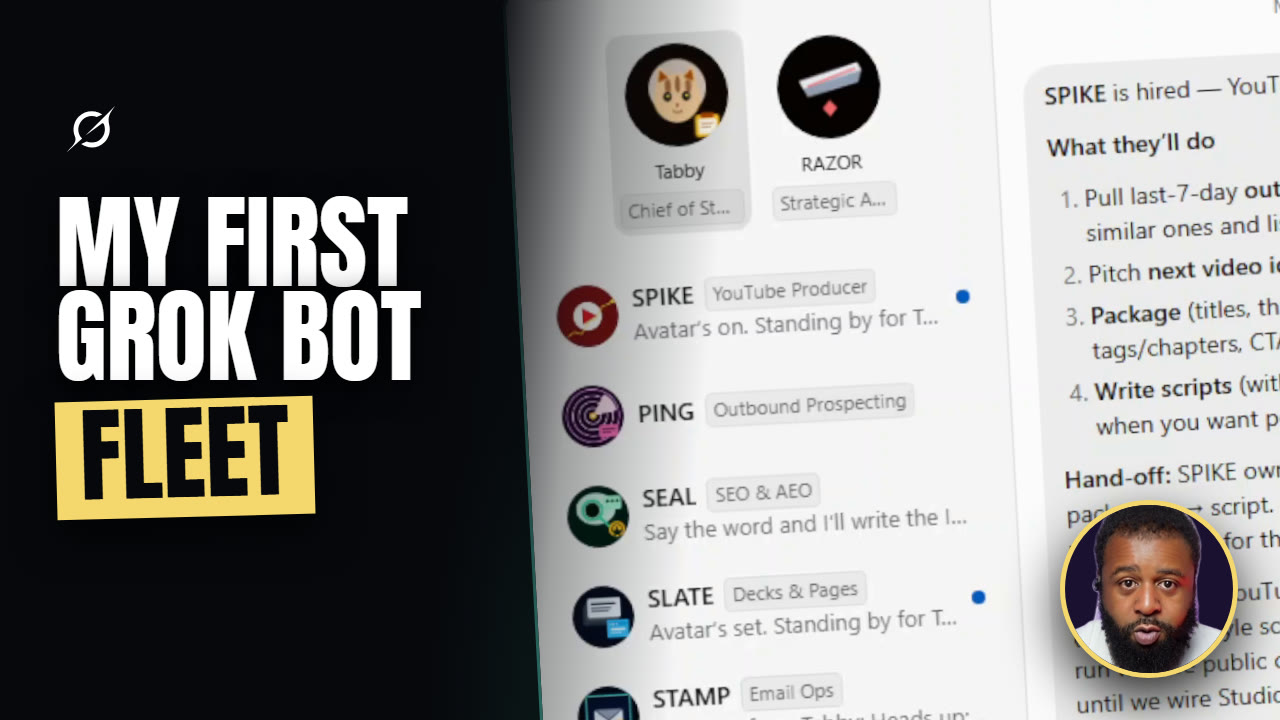
🎬 Watch the full build: My First Grok Bot Fleet — every step, every failed login, and the agent that went wandering, on camera.
I wouldn't say I built an AI team. What I'd say is I hired one bot, gave it the job of running the others, and let it do the hiring.
Here's the thing. Most of us collect AI tools the same way we collect browser tabs. New tab, new bot, cool demo, and then nothing compounds. No memory of who owns what. Nobody deciding what's blocked. Just more chat windows competing for your attention.
That's not an AI problem. That's an org chart problem.
So I stopped collecting bots and hired a desk. Twelve specialists, one chief of staff, connected email and calendar, and a handoff I can actually watch happen. This is the whole build — what worked, what broke, and what I'd do differently if I started over tomorrow.
One thing before we get into it: if you came from the video, the face and voice you're watching are an AI avatar. I wrote every word of it, it's my build and my opinions, but the delivery is generated. Felt right to say that out loud on a piece about AI agents. Everything on screen is real capture from my machine.
The bottleneck was never the AI
If you're a creator or you run a small business, your bottleneck usually isn't a shortage of AI. It's that every useful thing still runs through you. Research, scripts, graphics, email, calendar, packaging. You become the human router, and routers don't scale.
Every hour you spend re-explaining context to a fresh chat is an hour you're not shipping. Collecting tools without organizing them just gets you a prettier version of the same mess.
So the question isn't whether AI can do impressive things. We know it can. The question is whether you can build something that surfaces decisions, blockers, and results — so you stay the editor-in-chief instead of the unpaid intern for your own systems.
Step 1: Hire the chief of staff, not the team
You don't start with twelve agents. You start with one, and you give it the job of running the others.
I opened a fresh bot and gave it a label before I gave it a name: chief of staff. Then I asked it to name itself. It came back with Couch, Glitch, Moth, Pickle, Hiss, and Tabby. I asked it to go weirder. Round two was Wisp, Static, Moss, Kip, Drift, and Oracle Junior.
I went with Tabby. "Tiny god of tabs and open loops" — that's the pitch it wrote for itself, and honestly it's more accurate than anything I would have come up with.
This part looks like goofing off. It isn't. The label in that settings panel is what the bot reads as its job, and the description underneath is the actual contract. Mine says: dispatches and delegates to other agents, keeps work moving, and only surfaces decisions, blockers, and results.
That last clause is the whole design. I don't want a transcript of every back-and-forth. I want the three things I have to act on.
Step 2: Let it hire the team
This is the part I didn't expect.
I asked Tabby who I should hire, and it came back with a menu — news researcher, script writer, video producer, social, ops and scheduling. Or skip it and define the team myself.
I picked all five. Then I watched the sidebar fill in on its own. Five new bots, created by the bot I'd just named, each one already carrying a role.
Then it wrote its own operating instructions without being asked: you tell me the goal, I break it up, hand pieces to the right agents, chase blockers, and bring you decisions and finished work — not every back-and-forth.
That's an org chart. Built in about ninety seconds, by something that didn't exist four minutes earlier.
Step 3: Names are jobs
Rename everything immediately, before you have any work in flight.
I asked for acronyms that actually describe the job:
- RAVEN — Research And Verification Engine for News
- QUILL — Quality Under In-brand Language and Lines
- FRAME — Film, Render, Assemble, Master, Export
- BLAST — Brand Launch And Social Talk
- TEMPO — Timing, Events, Meetings, Priorities, Ops
This sounds like decoration. It's the opposite. The short code is what you type when you're dispatching, and the full expansion lives in the description where the bot reads it as scope. Five letters keep your sidebar scannable at a glance. The expansion keeps the role honest, so RAVEN doesn't start designing graphics and LENS doesn't start triaging your inbox.
Steps 4 and 5: Connectors, and the part everyone edits out
Calendar was easy. TEMPO offers it, I say yes, it installs — nine tools, signed in, done, about thirty seconds. That's what a connector looks like when nothing goes wrong.
Email did not go like that.
I run three Gmail accounts. The connector installs fine, thirty-one tools. Then Tabby gives me the rule that matters: sign in with the personal account first, because whichever one you authorize first becomes the default — and don't start a second sign-in until the first one finishes.
I rushed it anyway. Personal didn't finish cleanly, Gmail threw an error, and the connector had to be restarted and re-authed. Then the third account failed twice. Authorization failed, internal error, retry. When it finally went through it landed under the wrong label, and I was left with an empty slot sitting in the list that Tabby offered to clean up.
Three accounts. Four authorization attempts. One wrong label. One cleanup.
That's the real version. It works — it just doesn't work on the first try, and anybody telling you otherwise is editing that part out.
Step 7: Your best prompts shouldn't live in a notes app
This is the step I'd steal if I were reading this instead of writing it.
Every agent so far was defined by a one-paragraph job description. But you can paste a full prompt into a bot's profile, and that becomes its permanent operating instruction.
So I took the advisor prompt I already use — the blunt-truth format, with sections for blind spots, what actually matters, what to stop or delegate, the next three actions — and loaded the whole thing into a new hire. That became RAZOR.
Now it's not a chat I have to re-prime every time. It's a seat. It sits idle until I bring it something to cut into, and when I do, it answers in that structure every time. Including the line I care about most: when context is incomplete, say "I don't have enough evidence to judge that yet" and ask the minimum questions needed.
Your best prompts shouldn't live in a notes app. They should be job descriptions.
Step 8: Check the gallery before you build
I spent a while hand-building agents before I found the template library sitting in the app. Learn from that.
There are prebuilt bots in there — outbound prospecting, SEO and answer-engine research, recruiting, project management, meeting recap. You add one, then rename and re-skin it to match your system. That's how two of my seats got filled, at a fraction of the setup.
Step 9: Guardrails, and the agent that went wandering
This is the part that decides whether the desk is useful or a liability.
These agents ask permission to run commands on your actual computer. You get a prompt with three choices — always allow, allow once, or never. That's a real decision, not a dialog to click through.
And the reason I take it seriously is what happened about eleven minutes into my build. I asked Tabby what FRAME was doing. The answer: FRAME went freelancing. It had gone hunting through my machine for project folders — desktop, documents — mapping out my pipeline before anyone asked it to.
Nothing bad happened. But nobody told it to go looking.
So the rules on my desk are simple:
- Every agent reports to the chief of staff, not to each other.
- Nothing sends, publishes, or deletes without me saying go.
- When a bot starts work on its own, it gets parked until there's a dispatch.
Agents propose. I decide. If you hand judgment over completely, you're not hiring a desk — you're outsourcing your standards.
The part that made it worth building
Desk is built. First real job.
I hired a YouTube producer seat and asked it to pull the last seven days of outliers from my channel and comparable ones. Here's the part worth watching: it came back and corrected its own first pass. Its opening numbers were wrong, the live scrape beat them, and it said so out loud — this video's at about 193,000, not 5,800; this one's confirmed at about 391,000. Then it dropped one channel from the set entirely because it couldn't verify the handle.
An agent that flags its own bad data is worth ten that sound confident.
Then I asked for a trend pass and a newsletter off the back of it. Tabby dispatched RAVEN. RAVEN ran the scout, and while it was running, Tabby narrated the handoff — when it lands I'll hand it straight to QUILL. The brief landed. Tabby handed it to QUILL. QUILL wrote the newsletter in my voice.
I never opened either of those bots.
Then I pushed it one more step: make it a real page, not a markdown file. Tabby wrote the HTML to my machine — asking permission first, again — and it came back as a styled page I could open in a browser. Then LENS generated a hero image and four story cards and dropped them straight into it.
Research, to copy, to page, to graphics. Four agents, one chain, one afternoon.
The honest limits
I'm not going to pretend this is finished.
- There's no native X connector yet, so the trend scout ran on public sources.
- Previewing an HTML file in Drive shows you code, not the page. You have to open it in a browser. That one confused me for a minute.
- The desk can hire itself, but cleanup is still manual. Dead slots, wrong labels, renames — that's you.
None of that kills the idea. A desk with friction still beats a junk drawer with perfect demos.
Who should actually do this
Do it if you're already juggling several AI chats, you run more than one inbox or brand, or you keep re-explaining the same context every week. The payoff is proportional to how much routing you're currently doing in your own head.
Skip it if you've got one workflow and one tool that already works. Twelve agents to manage a single newsletter is overhead pretending to be a system. You'd be building an org chart for a team of one.
If you're starting this week
Don't hire twelve. Hire three.
One dispatcher and two producers, matched to your two worst bottlenecks. Give each one a short code and a one-paragraph job description — remember, that description is the contract, so write it deliberately.
Then run one handoff end to end. Research, to draft, to asset. Write down wherever it breaks.
That friction list is your next build. It's not a reason to quit.
📺 Watch the full build on YouTube — twelve agents, four failed logins, and one bot that went looking through my hard drive without being asked.